
 Quality Management



















 IT Service Management



 Project Management



 Agile Management




 Web Development



 Cloud Computing



HTML, CSS & JavaScript
12:00 PM – 03:00 PM (IST)
Live Virtual Classroom
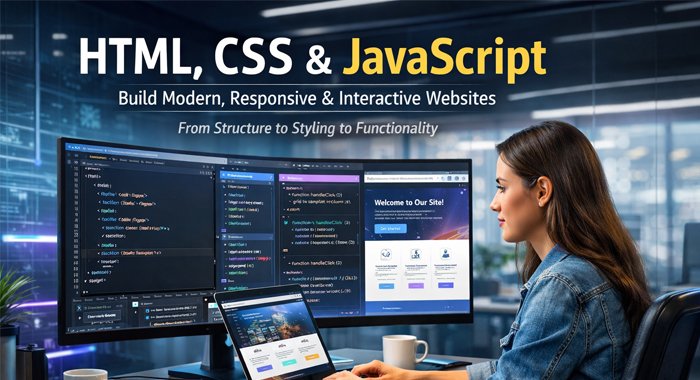
What is in HTML, CSS & JavaScript
Learn front-end web development using HTML, CSS, and JavaScript to create responsive and interactive websites.
This course provides a complete foundation in front-end web development using HTML, CSS, and JavaScript. It focuses on building visually appealing and fully functional websites.
Participants will learn how to structure web pages, style them for responsiveness, and add interactivity to create dynamic user experiences suitable for modern web applications.
Course Highlights

Hands-on front-end development training





Who can join HTML, CSS & JavaScript
Students and Freshers
Aspiring Web Developers
Software Professionals
Freelancers and Entrepreneurs
Anyone interested in web development
Course Features
Instructor-led coding sessions
Step-by-step development approach
Real-world website projects
Practice exercises and assignments
Access to learning resources
Application-focused training
Benefits of the Course

Builds strong front-end development skills

Enhances website design capabilities

Improves coding and problem-solving skills

Enables creation of responsive websites

Opens opportunities in web development roles
Haworth's Advantages

Experienced web development trainers

Practical and project-based learning

Structured and easy-to-follow curriculum

Hands-on coding experience

Personalized support sessions

Real-world application exposure
Certification Process
Step 1: Enrollment
Register for the HTML, CSS & JavaScript training program.
Step 3: Coding Practice
Complete hands-on coding exercises.
Step 5: Assessment
Complete assignments and evaluations.
Step 7: Skill Application
Apply learned skills in real projects.
Step 2: Training Attendance
Attend the instructor-led sessions.
Step 4: Project Development
Build real-world website projects.
Step 6: Certification Achievemen
Receive course completion certification.
Step 1: Enrollment
Register for the HTML, CSS & JavaScript training program.
Step 2: Training Attendance
Attend the instructor-led sessions.
Step 3: Coding Practice
Complete hands-on coding exercises.
Step 4: Project Development
Build real-world website projects.
Step 5: Assessment
Complete assignments and evaluations.
Step 6: Certification Achievemen
Receive course completion certification.
Step 7: Skill Application
Apply learned skills in real projects.
What will you learn in HTML, CSS & JavaScript
Understand how to structure web pages using HTML elements.
Learn how to design and style websites using CSS.
Understand how to create mobile-friendly layouts.
Learn core programming concepts and syntax.
Learn how to add interactivity using events.
Build complete interactive and responsive websites.
Prerequisites and Eligibility
-
Basic computer knowledge is helpful
-
No prior coding experience required
- Suitable for beginners and professionals