
 Quality Management



















 IT Service Management



 Project Management



 Agile Management



 Web Development


 Cloud Computing



Microsoft Project 2013
12:00 PM – 03:00 PM (IST)
Live Virtual Classroom

What is in Microsoft Project 2013
Learn how to use Microsoft Project 2013 to plan, schedule, track, and manage projects effectively with practical, hands-on training.
Microsoft Project 2013 is a powerful project management tool used for planning, scheduling, resource allocation, and tracking project progress. This course provides a comprehensive understanding of how to use the software to manage projects efficiently.
Participants will learn how to create project plans, assign resources, track progress, and generate reports, enabling better decision-making and improved project outcomes.
Course Highlights

Hands-on training using Microsoft Project 2013




Who can join Microsoft Project 2013
Project Managers
Project Coordinators
Business Analysts
Operations Professionals
Anyone interested in project management tools
Project Managers
Course Features

Instructor-led practical sessions
Step-by-step tool demonstration

Real-world project scenarios

Practice exercises and assignments

Access to training materials

Tool-based learning approach
Benefits of the Course

Improves project planning and scheduling skills
Enhances resource allocation efficiency

Enables better tracking and monitoring

Supports data-driven decision-making

Increases productivity in project execution
Haworth's Advantages

Experienced Trainers

Practical and application-based training

Structured and easy-to-follow content

Hands-on learning approach

Personalized support sessions

Real-world project exposure
Certification Process
Step 1: Enrollment
Register for the Microsoft Project 2013 training program.
Step 3: Tool Practice
Complete hands-on exercises using Microsoft Project.
Step 5: Assessment
Complete course-based evaluation or assignments.
Step 7: Skill Application
Apply learned skills in real project environments.
Step 2: Training Attendance
Attend the instructor-led training sessions.
Step 4: Project Work
Work on real-world project scenarios.
Step 6: Certification Achievement
Receive course completion certification.
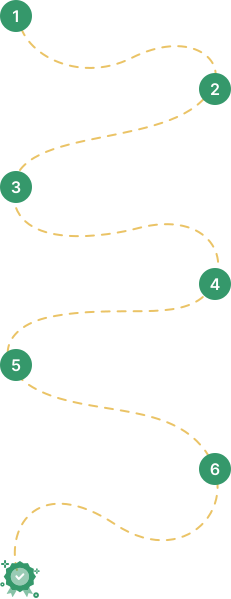
Step 1: Enrollment
Register for the Microsoft Project 2013 training program.
Step 2: Training Attendance
Attend the instructor-led training sessions.
Step 3: Tool Practice
Complete hands-on exercises using Microsoft Project.
Step 4: Project Work
Work on real-world project scenarios.
Step 5: Assessment
Complete course-based evaluation or assignments.
Step 6: Certification Achievement
Receive course completion certification.
Step 7: Skill Application
Apply learned skills in real project environments.
What will you learn in Microsoft Project 2013
Understand how to create and structure a project plan.
Learn how to define tasks, durations, and dependencies.
Understand how to assign and manage project resources.
Learn how to visualize project schedules using Gantt charts.
Understand how to monitor and update project performance.
Learn how to generate reports and analyze project data.
Understand how to adjust plans for better efficiency and outcomes.
Prerequisites and Eligibility
-
A basic understanding of project management is helpful
-
No prior tool experience required
- Suitable for beginners and working professionals
Recommended by our Participants Globally