
 Quality Management



















 IT Service Management



 Project Management



 Agile Management




 Web Development



 Cloud Computing


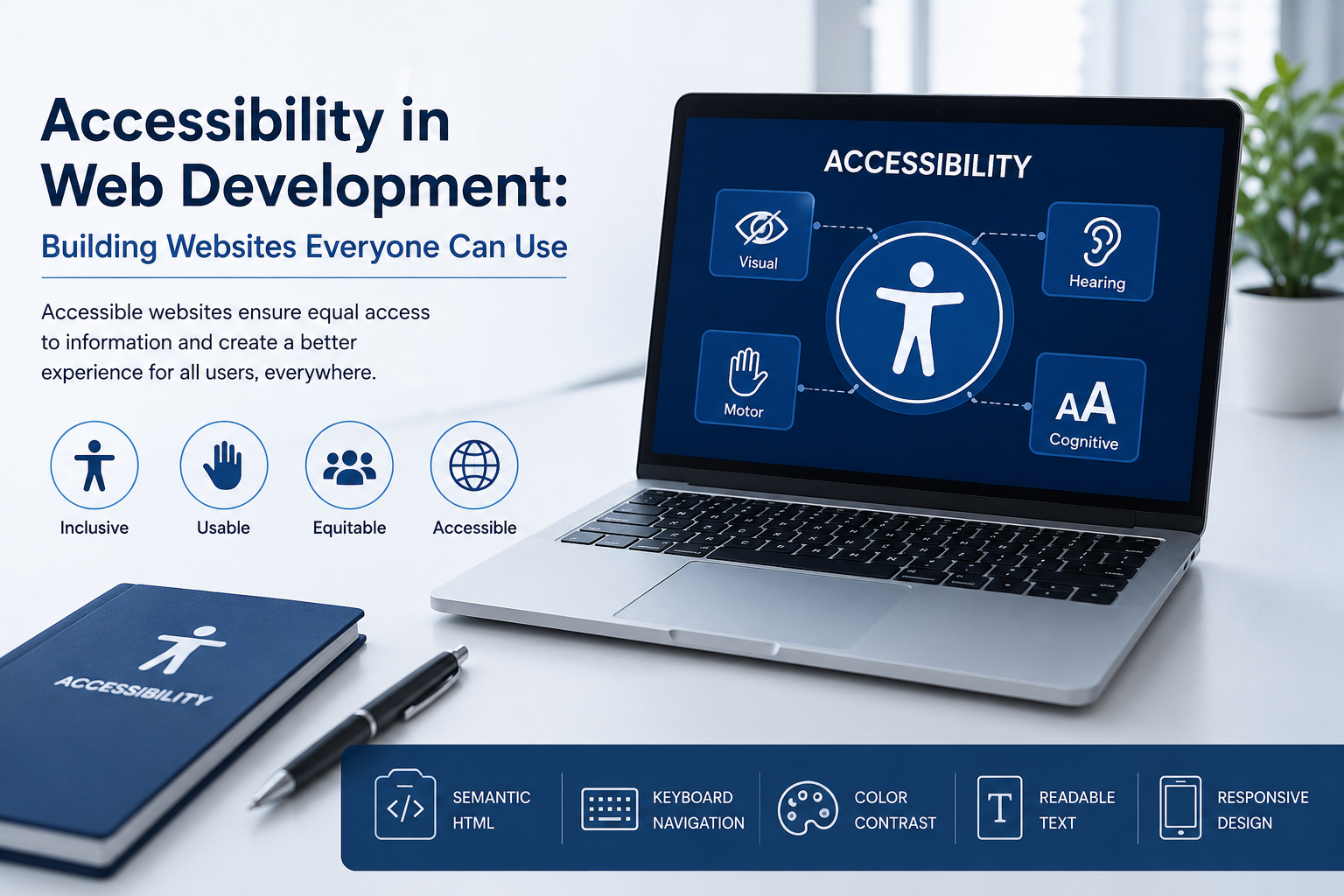
In today’s digital age, the internet is an essential part of our lives. From shopping to learning, people rely on websites for a multitude of services. However, not everyone experiences the web in the same way. This is where web accessibility comes into play. Ensuring that websites are usable for everyone, including people with disabilities, is not just a moral obligation but also a legal requirement in many countries, including India. In this blog, we will explore the importance of accessible web design, the WCAG guidelines, and how to effectively conduct accessibility testing to create inclusive websites.
Understanding Web Accessibility
Web accessibility refers to the practice of making websites usable for all people, regardless of their abilities or disabilities. This includes those with visual, auditory, motor, and cognitive impairments. According to the World Health Organization, over a billion people worldwide experience some form of disability. This highlights the need for accessible web design that accommodates everyone.
Why Is Web Accessibility Important?
- Legal Compliance: In India, the Rights of Persons with Disabilities Act mandates that all public websites must be accessible to people with disabilities.
- Wider Audience Reach: By ensuring your site is accessible, you open your business to a larger audience, including those with disabilities.
- Improved User Experience: Accessible websites often provide a better user experience for all users, not just those with disabilities.
- SEO Benefits: Many principles of web accessibility align with SEO best practices, helping improve your website's visibility on search engines.
WCAG Guidelines: The Foundation of Web Accessibility
The Web Content Accessibility Guidelines (WCAG) provide a comprehensive framework for making web content more accessible. Developed by the World Wide Web Consortium (W3C), these guidelines are organized around four principles: Perceivable, Operable, Understandable, and Robust (POUR).
1. Perceivable
Information and user interface components must be presented to users in ways they can perceive. This includes providing text alternatives for non-text content, creating adaptable layouts, and ensuring that content can be presented in different ways without losing information.
2. Operable
Users must be able to operate the interface. This means that all functionality should be accessible via a keyboard, users should have enough time to read and use the content, and users should not experience content that is designed to be too complex or difficult to navigate.
3. Understandable
The information and operation of the user interface must be understandable. This involves using clear and simple language, providing instructions when necessary, and avoiding jargon that may confuse users.
4. Robust
Content must be robust enough that it can be interpreted reliably by a wide variety of user agents, including assistive technologies. This means following best practices for coding and ensuring compatibility with various devices and software.
Creating Accessible Web Design
Designing an accessible website involves several best practices that focus on inclusivity. Here are key strategies to consider:
1. Use Semantic HTML
Utilize HTML elements according to their intended purpose. This helps screen readers and other assistive technologies interpret your content correctly. For example, use headings appropriately (h1, h2, h3, etc.), lists for items, and buttons for actions.
2. Color Contrast and Text Size
Ensure there is sufficient contrast between text and background colors. This is crucial for visually impaired users. Additionally, provide options for users to adjust text size without breaking the layout.
3. Alt Text for Images
Always use descriptive alt text for images so that screen readers can convey the meaning of images to visually impaired users. Avoid generic descriptions like "image" or "photo."
4. Keyboard Navigation
Make sure users can navigate your site using only a keyboard. This is essential for users who cannot use a mouse due to motor disabilities. Test all interactive elements to ensure they are accessible via keyboard shortcuts.
Conducting Accessibility Testing
To ensure your website meets accessibility standards, it’s crucial to perform accessibility testing. This involves evaluating your site against the WCAG guidelines and testing it with actual users who have disabilities.
1. Automated Testing Tools
Use tools like WAVE, Axe, or Lighthouse to run automated tests on your website. While these tools can identify many issues, they cannot catch everything, so manual testing is also necessary.
2. Manual Testing
Conduct manual testing by navigating your site with a keyboard, using screen readers, and checking for color contrast. This helps uncover issues that automated tools might miss.
3. User Testing
Involve users with disabilities in your testing process. Their feedback will provide invaluable insights into the usability of your website and help identify areas for improvement.
Conclusion
Building inclusive websites is not just a trend; it’s a necessity in today’s digital landscape. By adhering to the WCAG guidelines and prioritizing web accessibility, you can create a better experience for all users. Not only does this foster inclusivity, but it also enhances your website's performance, reach, and compliance with legal standards.
FAQs
1. What is web accessibility?
Web accessibility means designing websites that can be used by everyone, including people with disabilities, ensuring that all users have equal access to information and functionality.
2. Why are WCAG guidelines important?
WCAG guidelines provide a framework for making web content accessible. They help developers understand how to create websites that everyone can use, including those with disabilities.
3. How can I test my website for accessibility?
You can use automated testing tools, conduct manual testing, and involve users with disabilities in your testing process to ensure your website meets accessibility standards.
4. Are there any legal requirements for web accessibility in India?
Yes, the Rights of Persons with Disabilities Act in India mandates that all public websites be accessible to people with disabilities.
5. What are some common accessibility issues?
Common accessibility issues include poor color contrast, missing alt text for images, non-semantic HTML, and lack of keyboard navigation.
Call to Action
Are you ready to make your website accessible to everyone? Start implementing the WCAG guidelines today and ensure that your website is inclusive. If you need assistance with accessibility testing or want to learn more about accessible web design, feel free to reach out to us. Let’s build a better web together!




Leave a Comment